
You ask in your own AI tool
“Help me write a clearer landing page.”
A question in the AI tool you already use.
Save2Brain pulls out the key ideas and turns them into knowledge your own AI can use.
Free plan available · No credit card required
Jamie
@jamie · 2h
New users left during setup. Letting them try my app first helped more than adding features.
Illustrative X post
Save2Brain
Finding the useful idea
The key idea
Let users experience value before setup.
Saved in your library
In your own AI
Claude, Codex & compatible agents
Connected to your Save2Brain library
Improve my habit tracker onboarding.
Let users create their first habit. Ask about goals and reminders later.
Based on your saved learning
Your knowledge, within reach
Find the idea you need, read it in context, and make it your own. Your saved source stays close.
Saved ideas
From your saved onboarding notes
The key idea
For a habit tracker, that could mean creating a first habit before choosing goals and reminders.
In your Product ideas collection

Silent animation: save an X post, keep its ideas in your library, and connect your own AI agent to use them. A text description follows.
A sample X post says: “Talk to 5 users before you launch. Find the problem they all share. Build the smallest useful solution.” Its link is pasted into Save2Brain.
Save2Brain extracts three useful ideas and stores them in your library, with the original source attached: talk to 5 users, find one shared problem, and build the smallest solution.
You connect your own AI agent and choose what it can read. When you ask “Help me launch my app,” it uses those saved ideas to suggest a launch plan and points back to the source.
Illustrative example with shortened timing. Your agent only reads what you allow.
Use with your AI
Give your own AI access to selected knowledge from your library. Keep chatting or coding in the tools you already use—your AI can draw on those saved ideas and refer back to their sources.
An illustrative example
“Help me write a clearer landing page.”
A question in the AI tool you already use.
1Lead with the outcome
Saved from an X post
2Give readers one next step
Saved from an X post
Original sources attached
Open with the result your product helps people achieve. [1]
Use one clear call to action so visitors know what to do next. [2]
Based on your saved ideas, with references back to their sources.
You choose what it can read. Your AI cannot edit your library.
Set up AI accessWorks with AI tools that support a local MCP connection on your computer.
Save as you browse
Once your extension is connected, click + Save below an X post. Keep browsing while we turn its useful ideas into learnings for your library.
No copying links or switching tabs.
The original source stays attached.
Available now · Chrome on desktop
Right in your X feed
Extension demo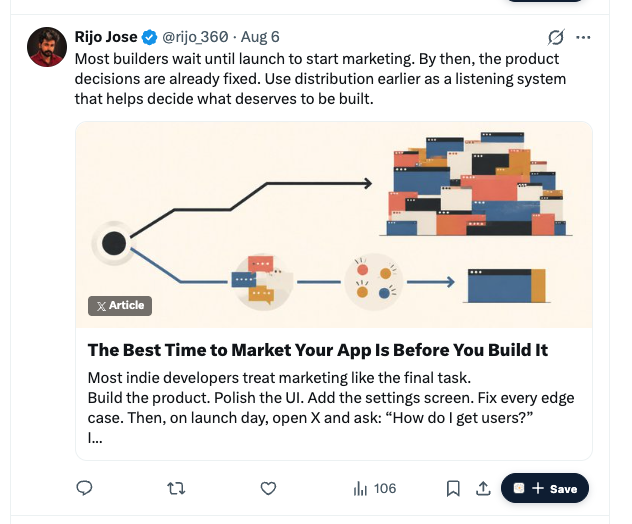
One click. Back to your feed.
Browser extensions
You choose what to save and what your AI can access. The original source stays attached.
Edit the ideas, group them into collections, and find them when you need them.
Go back to the original context to understand where an idea came from.
Choose what your connected agent can read. Revoke its access whenever you choose.
A few answers before you start.
No. You can search, read, and organize your library yourself. Connect an agent when you want it to use your saved knowledge too.
Yes. You can edit a saved learning and organize it into collections. Its source connection stays attached, so you can always refer back to the original context.
No. Saved learnings are private to your account. An AI agent only gets access after you connect it and give it permission.
Turn a useful post or note into knowledge you can revisit—and your AI can use.
Private by default. Editable anytime.